
Published by StartMadeSimple Ltd, the maker of FireTrack Pro. Sources checked 16 November 2026. This is a vendor-authored buying guide based on published product information, not an independent review or hands-on test of the competing product.
FireTrack Pro is worth evaluating as a Cheqroom alternative when your requirement connects security equipment custody with firearm records, ammunition, personnel credentials or vehicle handovers. Cheqroom's published equipment proposition includes reservations, checkout and availability. The useful question is which demonstrated workflow fits your team.
Compare the published scope
| Decision | FireTrack Pro | Cheqroom |
|---|---|---|
| Published workflow emphasis | Security equipment custody connected with firearm, personnel and vehicle records. | Shared-equipment reservations, availability and checkout. |
| Handover records | Recorded custody, return condition, inspection and maintenance follow-up. | Digital loan agreements, signatures and equipment reporting. |
| Device workflow | VCMP PWA for supported phones, tablets and desktops. | Published iOS and Android apps with barcode and QR checkout. |
| Commercial evaluation | Request a scoped quotation including onboarding and support. | Check current pricing information and confirm the required plan and terms. |
Start with the equipment operation you need
Cheqroom's checkout page describes self-service reservations, availability calendars, mobile barcode or QR scanning, return reminders, signed loan agreements and equipment reporting. Those are relevant starting points when the central task is allocating shared equipment ahead of time. Ask to see your booking and return sequence, including a reservation change and an overdue item. If future availability is essential, make it a written acceptance criterion in every demonstration.
Where FireTrack fits the security handover
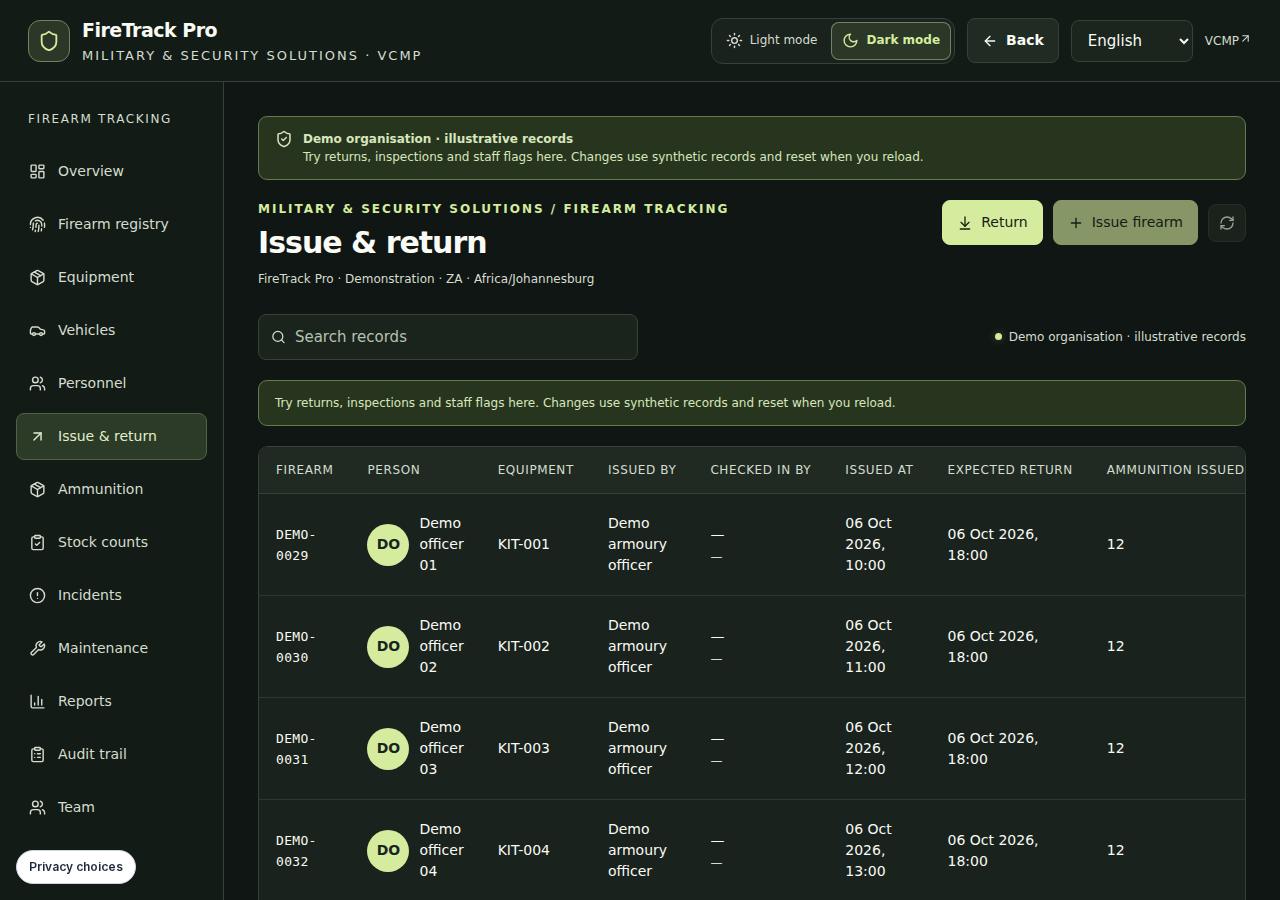
FireTrack brings recorded firearm and ammunition information, equipment custody, personnel credentials and vehicle handovers into related workflows. Teams can find outstanding items, record return condition and hold unserviceable equipment for inspection. Evaluate it when the next issue depends on who has custody, the person's recorded status and the asset's condition. This scope does not establish a replacement for every reservation, integration or specialist equipment requirement in your current system.
Ask both providers to demonstrate the same exception
Choose a fictional radio and a staff member. Walk through issue, a late return and a return with a fault. Inspect what the next operator sees and what the manager can export. Add a firearm or vehicle only if it belongs in your actual requirement. Record the observed outcome rather than awarding points for feature names.
- Can the operator identify the item and current custodian?
- Where are the return condition and unresolved fault visible?
- Who can release the item after inspection?
- Can the reviewer obtain the required record without rebuilding it?
Check the offline requirement precisely
FireTrack's published offline scope covers supported firearm and vehicle issues and returns for 24 hours after online preparation, protected by a 6–12 digit PIN. Reconnection and conflict review are required; handover photos and documents need internet. The separate Range Qualifications workflow supports prepared offline score capture and optional JPEG evidence. Do not extend that statement to every equipment action. Ask each provider to demonstrate the exact offline process you need, on your intended device, before treating it as an acceptance result.
Turn the comparison into a decision
Prepare a short list of required records, languages, users, locations, reports and integrations. Keep requirements that are essential separate from preferences. Request current written quotations on the same scope, including onboarding and support. Use FireTrack's public demo and evaluation checklist to prepare a focused walkthrough. Make the decision from verified workflow fit and agreed terms; this page makes no price-saving or migration-time promise.
See the FireTrack workflow
Questions before you shortlist
Is FireTrack Pro a direct replacement for every Cheqroom workflow?
No blanket replacement is claimed. Compare your reservations, checkout, custody, reporting and integration requirements individually. FireTrack's emphasis is security asset accountability and related personnel, firearm and vehicle records.
How should I compare the cost?
Check Cheqroom's current pricing information and request a FireTrack quotation. Compare the same users, assets, locations, onboarding, support and contract terms. This guide does not assert that either option costs less.
Sources and comparison method
We describe verified product scope and suggest demonstrations for unresolved requirements. A feature not mentioned in a source is not treated as absent. No price, certification or performance advantage is assumed.