
Published by StartMadeSimple Ltd, the maker of FireTrack Pro. Sources checked 16 November 2026. This is a vendor-authored buying guide based on published product information, not an independent review or hands-on test of the competing product.
Evaluate FireTrack Pro and ArmorerLink using the same scenarios for firearm custody and recording qualifications. Check how each handles preparation, score and evidence capture, reconnection and management review on the devices your team uses.
Compare the published scope
| Decision | FireTrack Pro | ArmorerLink |
|---|---|---|
| Published workflow emphasis | Firearm custody, ammunition, personnel credentials, equipment, vehicle records and range qualification results. | Law-enforcement firearm management with qualification and training administration. |
| Qualification records | Session roster, registered firearms, manager-set scoring rules, results and optional JPEG evidence. | Published qualification scores, training calendars and attendance functions. |
| Documented offline context | Prepare online in the browser. Record scores and optional JPEG evidence for 24 hours, then reconnect with FireTrack open to sync. Prepared firearm and vehicle handovers use a separate workflow. | Native iPhone and iPad Rangemaster app captures qualification scores and target photos offline for upload to ArmorerLink. |
| Procurement evaluation | Confirm the required workflow, deployment terms and scoped quotation. | Confirm the current release, included modules and deployment terms with the vendor. |
Identify the specialist administration you need
ArmorerLink documents firearm inventory, maintenance, ammunition, training and qualification administration. Its native Rangemaster app for iPhone and iPad captures qualification scores and target photos offline. FireTrack Pro’s Range Qualifications workflow runs in the VCMP browser workspace and links results to existing personnel and firearms.
Follow a FireTrack custody record from issue to return
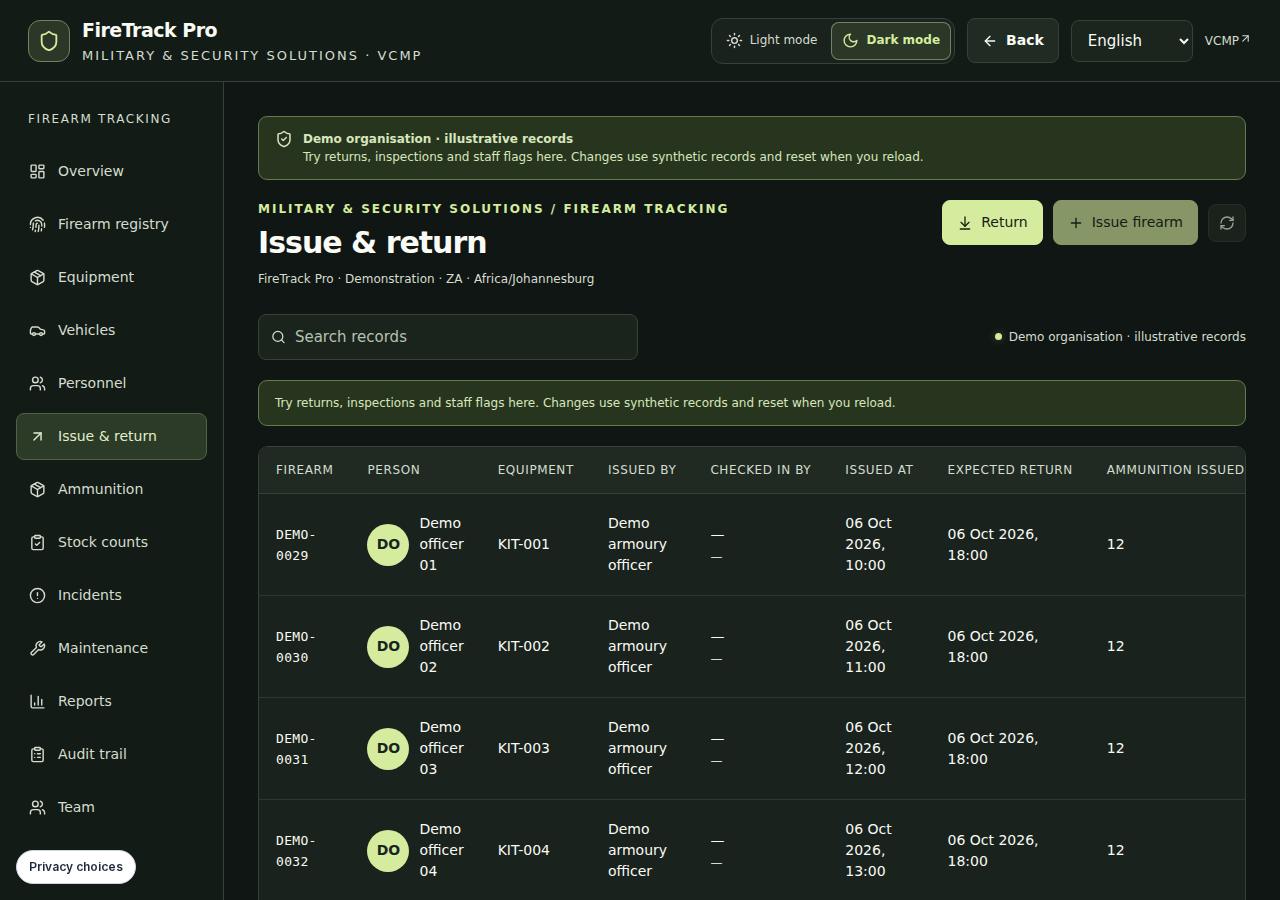
FireTrack connects firearm and ammunition records with the recipient’s recorded credentials, availability and custody. Test issue and return, optional signatures, printable receipts, incidents and maintenance using a complete handover and one exception. To evaluate Range Qualifications, run a separate scenario from session setup through score capture and manager review.
Compare language and offline scope at workflow level
FireTrack’s prepared browser session supports up to 24 hours of offline results and optional JPEG evidence. Reconnect with FireTrack open so each queued result can sync and managers can review any conflicts. Prepared firearm and vehicle issues and returns follow their own offline workflow. FireTrack’s workspace offers English, Afrikaans, isiZulu, isiXhosa, Arabic, Spanish, Portuguese and French. Confirm the required device and language for each workflow in a guided demo.
Use one acceptance brief for both demonstrations
Choose fictional records and repeat the same administrative scenarios. Ask the armoury operator, training administrator and reviewer to assess their own responsibilities. Record observed outcomes and unresolved questions separately.
- Review an authorised issue, return and ammunition discrepancy.
- Inspect an expired recorded credential and an unserviceable item.
- Record a fictional qualification score offline, reconnect and review whether the result reached the organisation’s records.
- Review role access, receipts and the exact exports your team needs.
Agree the scope before choosing a system
Request confirmed answers on hosting, access administration, retention, imports, integrations, onboarding and support. Compare written quotations for the same agreed scope. FireTrack's administrative records do not confer legal compliance, government approval or institutional accreditation. Open the public demo and use the evaluation checklist to prepare a focused session; keep any mandatory institutional approvals as explicit decision gates before operational data enters scope.
See the FireTrack workflow
Questions before you shortlist
How does FireTrack handle offline range qualifications?
A manager sets up a session and scoring rules. An authorised user prepares the browser device online, records results and optional JPEG evidence during the 24-hour window and reconnects with FireTrack open to sync each record.
Which devices should we test?
ArmorerLink lists Rangemaster for iPhone and iPad. FireTrack provides Range Qualifications in the VCMP browser workspace. Try the required capture and reconnect workflow on the devices your team will use.
Sources and comparison method
We describe verified product scope and suggest demonstrations for unresolved requirements. A feature not mentioned in a source is not treated as absent. No price, certification or performance advantage is assumed.