
Range Qualifications connects an authorised session’s results to existing FireTrack personnel and firearms. Prepare the device in the browser while connected, capture results away from a signal and sync with the organisation workspace when you reconnect.
Prepare the session and device online
A manager chooses the participants and registered firearms for a session, then sets the maximum score and passing score. An authorised user prepares the browser on the device that will be used at the range. The offline PIN protects the local copy. Prepare the device before leaving connectivity so the session is available for the 24-hour recording window.
Capture scores and evidence offline
Select a participant and a firearm from the session, enter a score and optionally attach a JPEG as supporting evidence. FireTrack applies the session’s pass threshold and saves the result on that device until sync.
Reconnect and review exceptions
Reconnect with FireTrack open to send queued results one at a time. Check which results have synced and which need attention. Pending conflicts stay visible for management review. The synced records link to the selected personnel and firearms.
Try a fictional range session
The public demo walks through preparing a session, recording a sample score offline and reconnecting. It uses fictional records and simulated sync. No sign-in or file upload is required.
Observed in the public demonstration
Reviewed by StartMadeSimple Ltd on 16 November 2026 in desktop Chrome. Production build: 49fb87c. This is a software demonstration with fictional records and simulated connectivity and photos, not a live organisation or device-offline acceptance test.
- Choose Prepare demo device, then Simulate going offline.
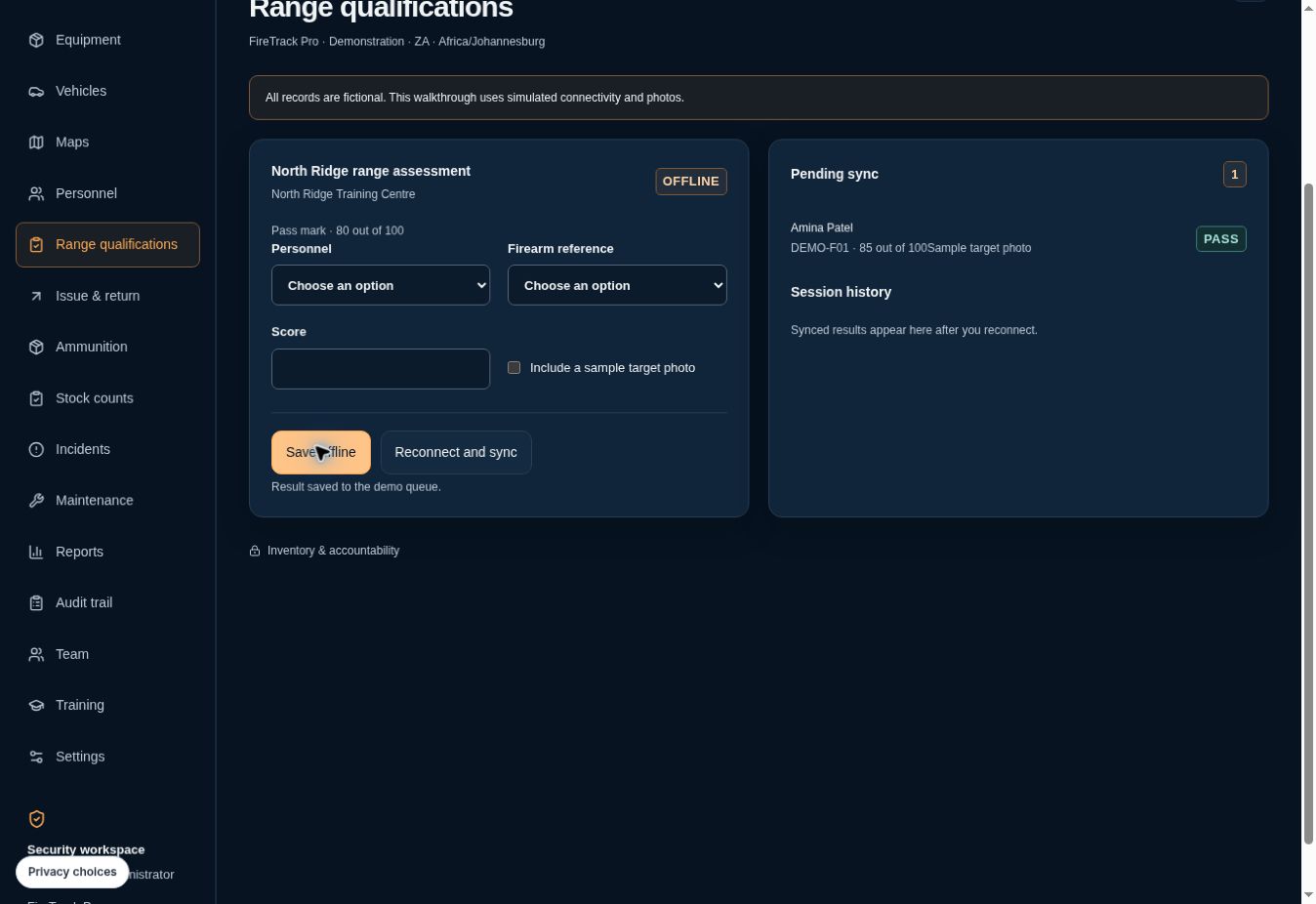
- Select fictional participant Amina Patel and reference DEMO-F01. Enter 85 against the sample 80/100 threshold and include the sample photo.
- Choose Save offline: one result appears under Pending sync.
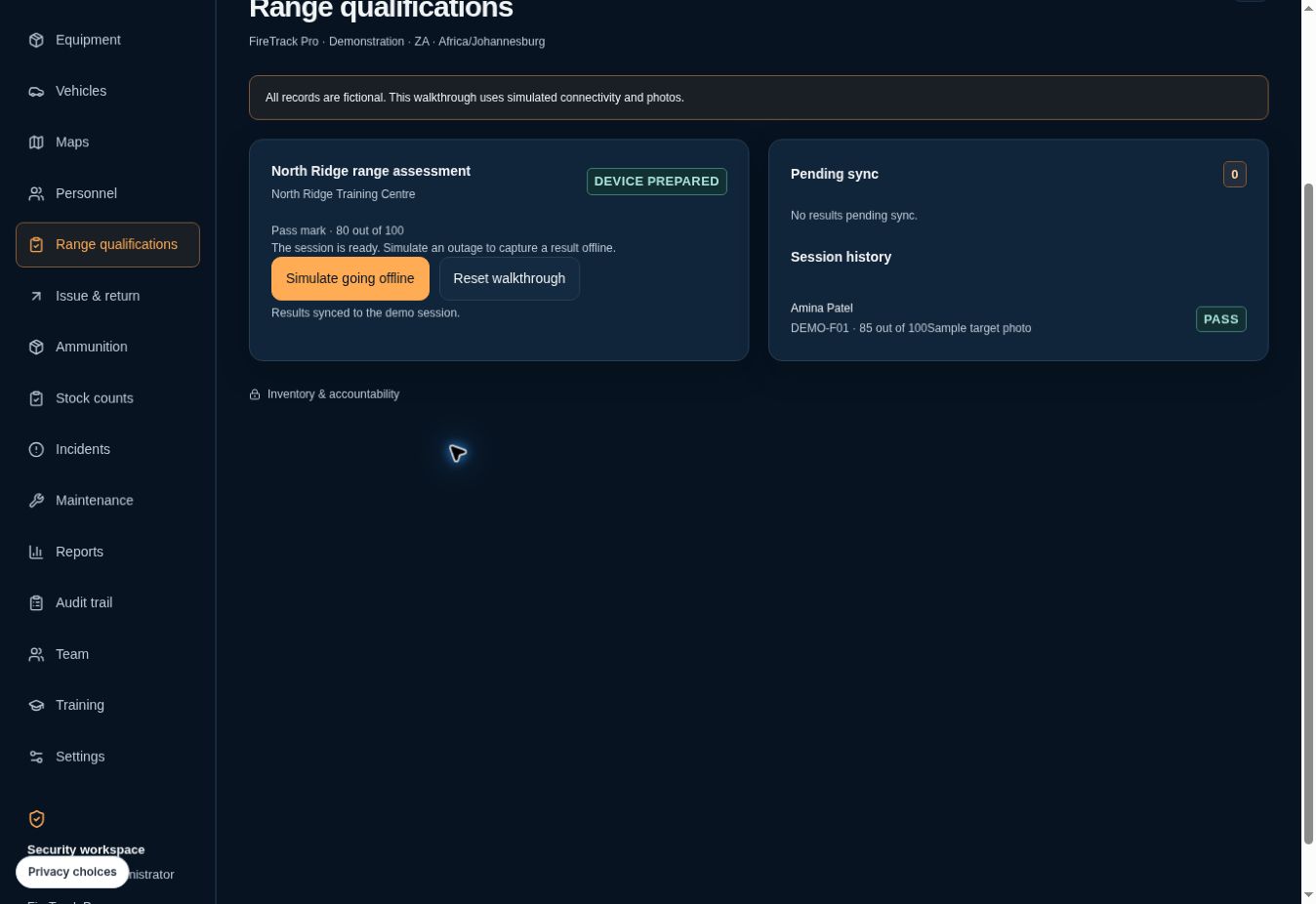
- Choose Reconnect and sync: pending returns to zero and the result appears in Session history.
The public walkthrough does not test real PIN encryption, physical network loss, private photo uploads or conflict resolution. Evaluate those authenticated workflows with your authorised team and test records before operational adoption.
Clear answers. Before you commit.
Can we record qualification scores without an internet connection?
Yes. Prepare the device online and unlock the PIN-protected local copy to record a score and optional JPEG evidence during the 24-hour window. Reconnect with FireTrack open to sync.
Can we use our own scoring rules?
The session manager sets the maximum and passing scores. FireTrack records the result against that session’s rules and selected personnel and firearm records.