
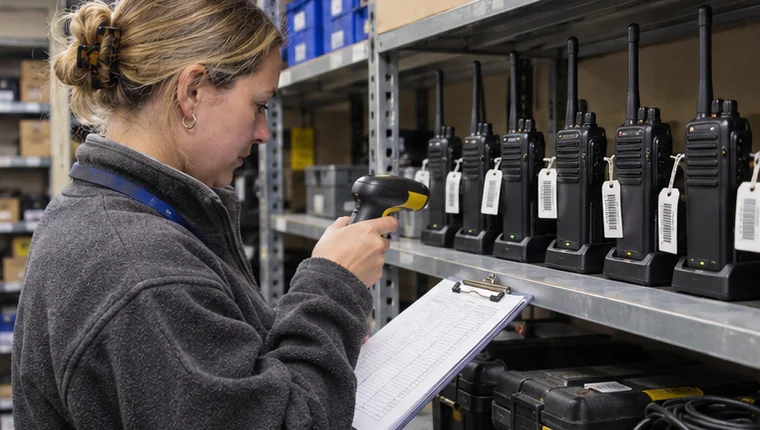
Your equipment register lists twelve radios. Eight are in the store when you do the count. Before you assign a follow-up to four missing items, check which IDs are signed out and which have been set aside for inspection. A useful stocktake accounts for each ID and leaves an owner for every difference.
Count against the same point in time
Take a dated snapshot of the register for the location you are checking. If equipment keeps moving during the count, note the time you started and record handovers made after that point. That gives you a way to explain why a radio counted on the shelf at 09:00 shows as checked out by the time you finish.
Read or scan each physical asset ID. Include equipment on hold and check which category it belongs to. A radio awaiting inspection can count as present in the store while its status remains unavailable for issue.
Check the identities behind the totals
Match the list of items on the shelf against the equipment register. Then check the remaining IDs for open checkout, transfer or maintenance records, where applicable. Use the latest confirmed entry for each ID. You can get the right total with the wrong items if an old label is reused or two similar items are counted under one ID.
For each unexplained difference, keep the asset ID, what was observed, when it was checked and who will follow up. Attach the earlier record or note which entry led you to the difference so the next supervisor can pick it up.
Example count for twelve radios
- 7 ready in store
- Each ID seen on the shelf and matched to the register.
- 1 on hold in store
- R-018 counted on the inspection shelf and kept unavailable.
- 3 checked out
- Three other IDs matched to open handover records.
- 1 difference
- R-024 remains unresolved. The equipment supervisor will review its last recorded return before the next count.
Keep the difference visible until it is reconciled
Review the differences with whoever owns the register and check back at the agreed time. When you find an item or correct a record, add the evidence, decision and date so there is a clear trail from the count to the resolution.
FireTrack Pro’s equipment custody views provide an item record and outstanding handovers to compare with what you count. See the equipment custody workflow.
Related articles
Comments
Join or sign in to leave a comment.
Already joined? Sign in
Signed in as
Keep it somewhere private so you can sign in again on another device.